What the badges mean
Not every event in the calendar was entered by its organizer. Many are found by our research on the websites of schools, venues and listing calendars. So that you know where you stand, every entry carries a badge.
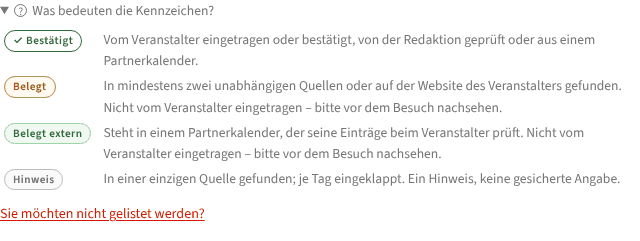
| Badge | Meaning | Shown as |
|---|---|---|
| ✓ Confirmed (green) | Entered or taken over by the organizer, checked by the editors, or from a partner calendar. | full card with picture and description |
| Corroborated (yellow) | Found in at least two independent sources – or on the organizer's own website. Not entered by the organizer. | compact card |
| Corroborated externally (light green) | Listed in a partner calendar that checks its entries with the organizers. Not entered by the organizer. | compact card |
| Hint (grey) | Found in a single source, unchecked. | collapsed per day |
For everything but “Confirmed”: check with the organizer before you go. The event page links the sources.
What you want to see
The switch above the list has three positions:

- Confirmed only – only events an organizer stands behind.
- With hints (default) – confirmed and corroborated events as rows, hints collapsed per day.
- Hints unfolded – everything visible, the grey rows too.

The choice is part of the address (?zeige=…), so you can bookmark it. The month view shows hints only as a count, the map only in the position “Hints unfolded”. Calendar subscriptions (iCal) never contain hints.
Where the details come from
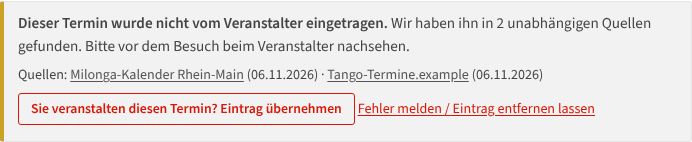
The event page of a found event says in how many sources it was found, and a table Where the details come from shows, field by field, which source says what. When the sources name different times or places, the entry says so explicitly.
What happens over time
A hint that no second source and no organizer confirms fades out by itself and disappears. An event the organizer takes over becomes ✓ Confirmed – with one click, see Taking over found events. If you think an entry is wrong, report it through “Report an error / have the entry removed” on the event page.