Creating an account and entering an event
Reading, subscribing and the map need no account. You need one only to enter and maintain events.
Creating an account
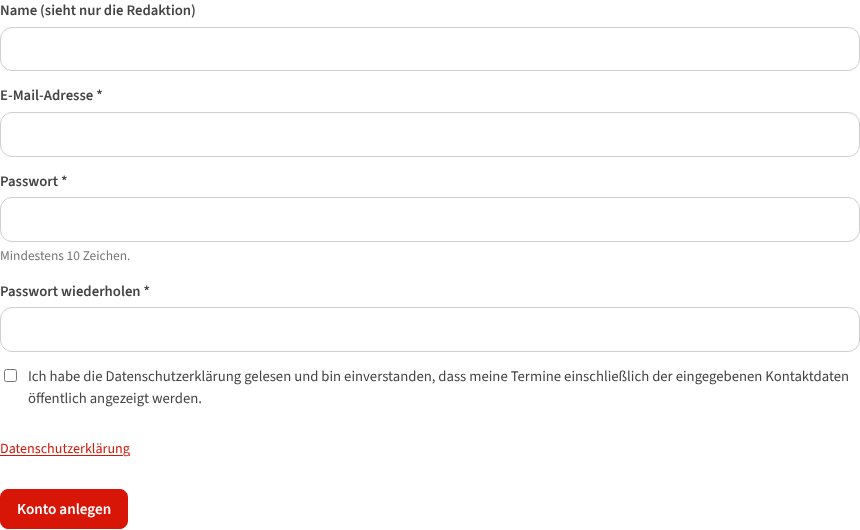
- Register as an organizer: name (seen by the editors only), email address, password (at least 10 characters).
- You receive a mail with a confirmation link (valid three days). One click, and you are signed in.
- Accounts of the former tango-calendar.de still work: sign in with your email address or your old user name. Forgot your password? The link on the sign-in page sends you a new one.
There is no CAPTCHA and no third party in between; the only cookie is the one for signing in – the public pages set none.
Entering an event – fastest with AI capture
At the top of the form under Add event sits Fill in automatically:
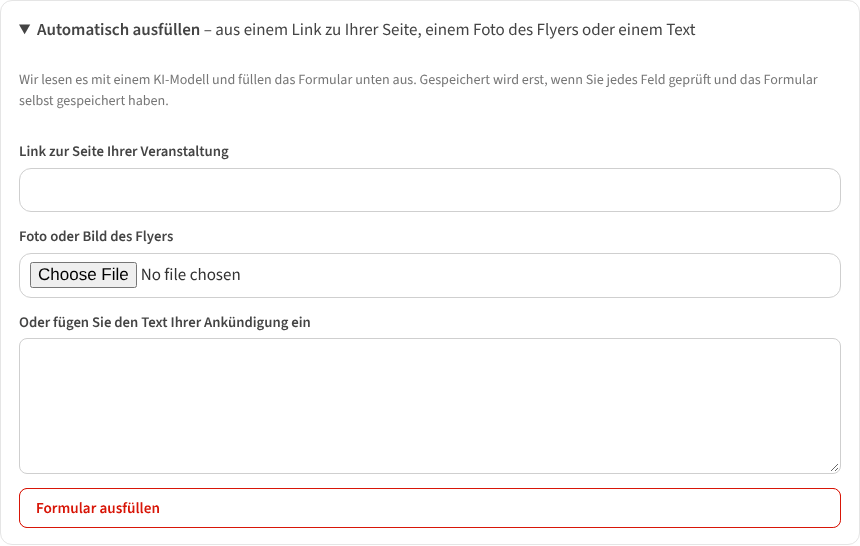
Give one of these:
- the link to the page of your event,
- a photo or picture of the flyer (JPEG, PNG, WebP, GIF, up to 5 MB),
- or the text of your announcement (from a newsletter, a Facebook post, WhatsApp – just paste it).
“Fill in the form” reads it with an AI model and fills in title, date, times, repetition, price, website, description, kind, style, venue and organizer. Nothing is saved before you have checked every field and submitted the form yourself. Ten captures a day are free.
The form
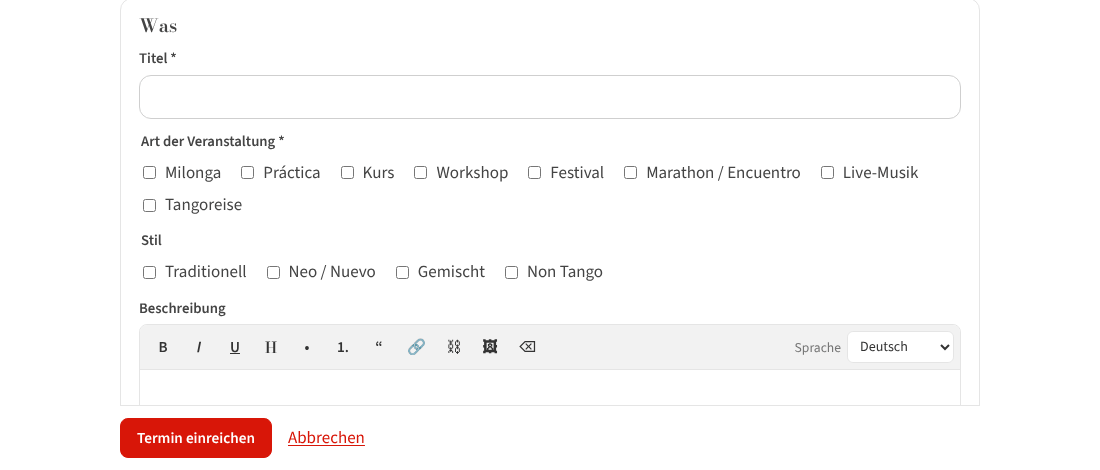
- What – title, kind (several possible), style, description (bold, italic, lists, links), language of the text.
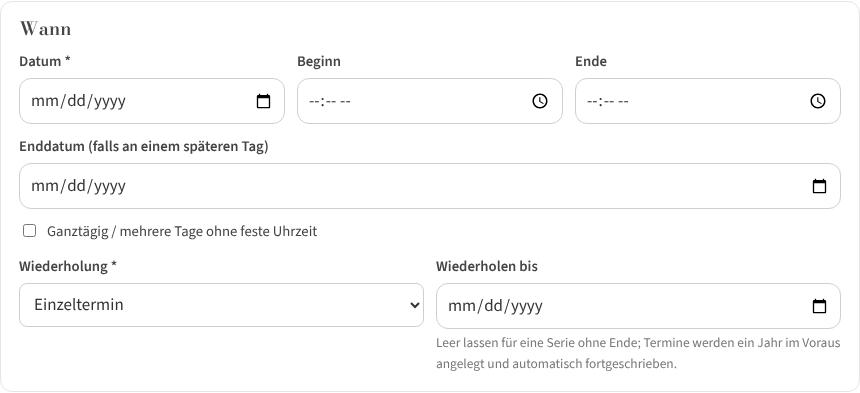
- When – date, start, end, if needed an end date or “all day / several days”. Repetition: every week, every two weeks, monthly on this weekday (e.g. every 2nd Saturday), monthly on the last such weekday. Leave “Repeat until” empty for a series without end – dates are created a year ahead and topped up continuously.
- Where – a venue from the list (“City – Name”). Missing? “Venue not in the list? Click here” opens the fields for a new venue; the editors check it briefly and put it on the map.
- Organizer – your profile; a new one is created right in the form (name, public email, phone, website).
- Price, link and picture – “Price from” (0 for free admission), price details, website / registration, a picture or flyer (up to 8 MB) or one from your media library.
Submit event – done. New accounts are checked briefly by the editors with their first event (“Awaiting review”); after that your events appear at once.
Afterwards

Under My events every event is listed (series as one row with the number of coming dates) with:
- View / Preview, Edit, Copy (for the next similar event),
- Call off – with a reason that appears on the event page; “Takes place” withdraws the cancellation,
- Delete – only if the event was never meant to happen; otherwise calling off is the better choice.
With series every change asks: this date only or this and all following?