Taking over found events
Most events in the calendar come from the research: every night our crawler reads the websites of schools, venues and listing calendars. When it finds your event, it is in the calendar as Corroborated or as a Hint – and you do not type it again, you take it over.
In your account
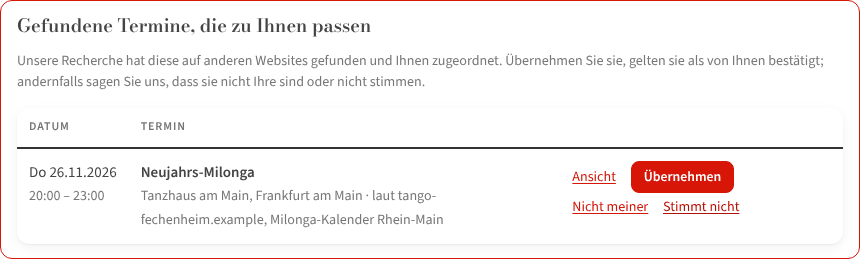
Under My events the block Found events that match you appears as soon as found events match one of your organizer profiles – by name or by your website. One row per series with date, venue and “according to …” (the sources).
- Take over – the event (for series: all found dates) is yours from now on and ✓ Confirmed. Then correct what is wrong, as with any own event.
- Not mine – the event stays listed but is no longer attributed to you.
- Not right – the series is taken off the site; alternatively “Take over and correct”.
By mail
If you have no account yet, we write you exactly one mail to the address on your website – never a second one without your reply. The link in it is valid for 60 days and leads to Take over your entries: the address counts as confirmed through the link, you only choose a name and a password. If you do not want this, click “No more mails” – with or without listing the events.
From the event page
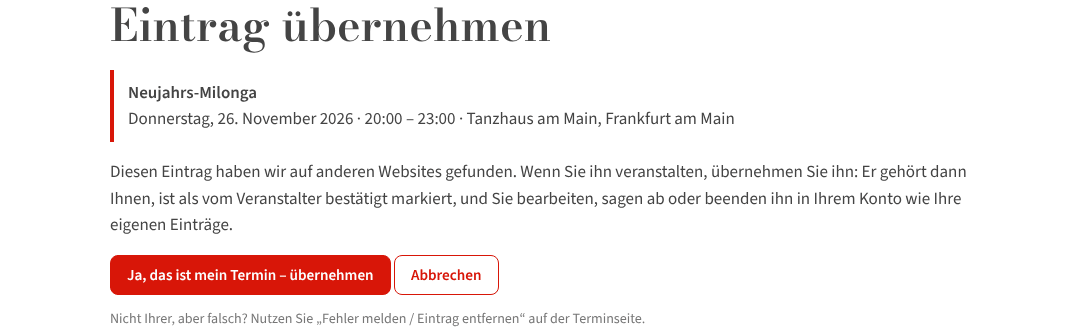
Every found event page carries the button “You organize this event? Take over the entry”. Signed in, it goes straight to the take-over; otherwise to the sign-in first.
What happens next
Taken-over events are confirmed events: full card, picture, description, iCal. And from now on the research reads your website first – new events there land with you, not as anonymous hints. It gets even easier when you give us your events page: Your website as the source.
If a found event already belongs to another organizer's account, it cannot be taken over; write to the editors in that case.